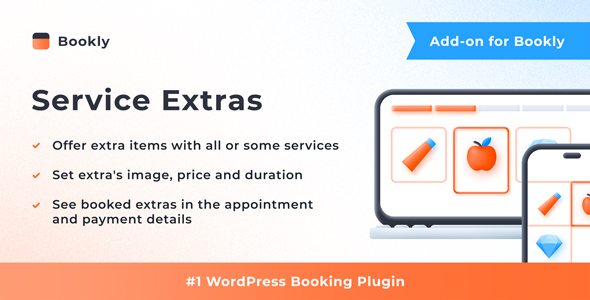
For businesses using the Bookly PRO Appointment Booking and Scheduling Software System, the ability to upsell additional services, products, or equipment directly during the booking process is a powerful revenue driver. The Bookly Service Extras (Add-on), developed by Nota-info, provides this exact functionality, allowing customers to select optional items—from add-on treatments to physical products—when they book their primary appointment. This add-on seamlessly integrates into the existing Bookly workflow, enabling service providers to increase average order value without complicating the customer experience. Whether you run a salon, a clinic, or a consultation service, this tool bridges the gap between a simple booking and a comprehensive service package.
Key Features
- Create Extras Per Service: You can assign specific extras to individual services. For example, a haircut service can offer a “deep conditioning treatment” as an extra, while a massage service offers “aromatherapy oils.” This granular control ensures relevance for every booking.
- Add Images for Visual Impact: Each extra item can include an image. This visual representation helps customers understand exactly what they are purchasing, reducing ambiguity and increasing the likelihood of an upsell.
- Set Price and Duration: Define a specific price and time duration for each extra. If a “nail polish change” takes 15 minutes and costs $10, the system automatically adjusts the total appointment time and cost when the client selects it.
- Control Minimum and Maximum Quantities: You can set limits on how many extras a client can order. For instance, a customer can book a minimum of 1 and a maximum of 3 “bottle of water” extras for a spa day.
- Transparent Display in Calendar and Cart: Selected extras are clearly visible in the Bookly calendar, appointment details panel, and the booking cart. This ensures staff and clients are always aware of what has been ordered, preventing confusion.
- Flexible Step Placement: You can choose whether the “Extras” step appears before or after the time selection in the booking form. This control allows you to optimize the checkout flow for higher conversion rates.
- Automated Notifications: The add-on integrates with Bookly’s email and SMS templates. Placeholders automatically include details of selected extras in notifications sent to both staff and customers.
Who Is This For? Use Cases
Salons and Spas
Beauty professionals can upsell treatments like “scalp massage,” “hot towel,” or “luxury face mask” during a standard appointment. This is a perfect way to increase the perceived value of a visit and boost revenue per client.
Healthcare and Wellness Clinics
Practitioners can offer supplements, specialized tests, or extended consultation time as extras. A chiropractor, for example, could offer a “therapeutic ultrasound” as an add-on to a standard adjustment session.
Equipment Rental Services
Businesses renting gear can allow customers to add accessories to their booking. A camera rental service could offer “extra battery,” “tripod,” or “memory card” as bookable extras alongside the main equipment.
Consultation and Coaching
Coaches can offer “priority scheduling,” “follow-up report,” or “video recording of session” as optional extras. This adds a layer of customization to the service without requiring a separate booking system.
Technical Details & Compatibility
This is a critical point: the Bookly Service Extras (Add-on) is not a standalone plugin. It is an add-on that requires the Bookly PRO plugin to function. It is built specifically for the WordPress ecosystem and integrates natively with the Bookly framework. The setup process is quick, typically taking only a few minutes, as the add-on automatically extends the existing Bookly admin interface. It is compatible with all standard WordPress themes and browsers, provided the base Bookly PRO plugin is up to date. Performance is optimized because the add-on does not load heavy scripts; it simply adds new database fields and UI elements to the existing Bookly structure. Nota-info provides detailed documentation and video tutorials to assist with installation and configuration.
Pros and Cons
Pros
- Direct Revenue Upsell: The primary benefit is the ability to increase average transaction value without needing a separate e-commerce plugin.
- Seamless Integration: Because it is built specifically for Bookly, the add-on works flawlessly with the calendar, cart, and notification systems.
- High Customizability: The ability to set images, durations, prices, and quantity limits per service gives you complete control over the offering.
- Proven Popularity: With over 4,137 sales on CodeCanyon, this add-on has a strong track record and a large user base, indicating reliability and ongoing support from Nota-info.
- Cost-Effective: Priced at $64.00, it is a one-time investment that can quickly pay for itself through increased service revenue.
Cons
- Dependency on Bookly PRO: You cannot use this add-on without first purchasing and installing the Bookly PRO plugin, which is a separate cost.
- Limited to Service-Based Businesses: This tool is designed for appointment-based models. It is not suitable for selling physical products through a traditional e-commerce storefront.
- No Advanced Inventory Management: While you can set quantity limits, the add-on does not offer real-time inventory tracking for physical goods. You would need to manage stock manually.
Frequently Asked Questions
Does the Bookly Service Extras Add-on work with the free version of Bookly?
No. This add-on is built exclusively for the Bookly PRO plugin. You must have a valid Bookly PRO license installed on your WordPress site before you can activate and use the Service Extras add-on.
Can I set different extras for different staff members?
Extras are configured at the service level, not the staff level. However, because you can assign different services to different staff members, you can effectively create a staff-specific extras list by linking a unique service to that staff member and adding the desired extras to that service.
Will the price of extras update automatically in the booking calendar?
Yes. When a client selects an extra, the system automatically recalculates the total appointment price and duration. This updated information is then displayed in the Bookly calendar, appointment details, and the checkout cart, ensuring accurate records for both staff and customers.
Final Verdict
The Bookly Service Extras (Add-on) from Nota-info is an essential tool for any service business using Bookly PRO that wants to maximize revenue per appointment. Its ability to seamlessly integrate upsells, images, and automated notifications into the existing booking flow makes it a powerful and user-friendly solution. With over 4,100 sales and a clear focus on functionality, this add-on has proven its value in the marketplace. The price of $64.00 is a reasonable investment for a feature that can significantly boost your bottom line. If you are already running a Bookly-powered booking system and want to offer your clients more options while increasing your average order value, this add-on is a smart, practical choice. Purchase it today and start turning every booking into a more profitable transaction.