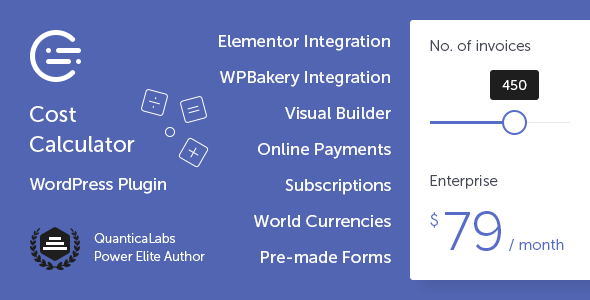
Building a website that sells services or products often hinges on one critical moment: the instant a potential customer understands what they will pay. Vague pricing pages create friction, but a transparent, interactive estimator builds trust and guides visitors toward a decision. The Cost Calculator for WordPress by QuanticaLabs is a premium plugin designed to solve this exact problem. It empowers website owners to build custom quote forms, pricing estimators, and calculation tools directly within WordPress, eliminating the need for complex spreadsheets or external pricing applications. Whether you run a service agency, an e-commerce store, or a SaaS platform, this tool provides the infrastructure to turn casual browsers into informed leads by displaying clear, itemized cost breakdowns in real time.
Key Features
The Cost Calculator for WordPress is packed with functionality that bridges the gap between simple contact forms and full-fledged e-commerce systems. Below are the standout capabilities that make it a versatile asset for any pricing strategy.
- Visual Drag-and-Drop Form Builder: Create unlimited, fully responsive calculation forms using a dedicated backend builder. You do not need to write a single line of code or rely on external page builders to construct complex layouts.
- Native Page Builder Integrations: For users who prefer a visual front-end approach, the plugin offers dedicated widgets for Elementor (8 custom widgets) and seamless embedding for WPBakery Page Builder. This allows you to style calculators to match your existing design system perfectly.
- Stripe Payments Integration: Accept secure one-time payments or set up subscription billing directly within your forms. The plugin supports flexible billing intervals, including daily, weekly, monthly, yearly, or custom cycles like “every two weeks.”
- Advanced Summary Calculations: The core engine allows you to build custom formulas using field IDs and mathematical operators. You can display multiple summary boxes to show subtotals, discounts, and final totals simultaneously, offering complete transparency to the user.
- Diverse Input Components: A wide range of field types is available, including Dropdown Boxes, Slider Boxes, Input Boxes, Checkboxes, Switch Boxes, Date Pickers, and Radio buttons. Each component can carry its own calculation value, making it easy to price variants or add-ons.
- Data Storage & Notifications: All calculations and submissions are securely stored in the WordPress database. You can also configure automated email notifications to send results to both the client and the administrator, ensuring no lead is lost.
- Predefined Layout Skins & Demo Importer: Choose from five layout skins, customize colors, and select from hundreds of Google Fonts. The one-click demo importer lets you install pre-made forms—such as a Cleaning Cost Calculator or Mortgage Calculator—to get started instantly.
- Global-Ready Configuration: The plugin supports multi-currency, RTL (Right-to-Left) languages, and is WPML compatible, making it suitable for international businesses with diverse audiences.
Who Is This For? Use Cases
The flexibility of the Cost Calculator for WordPress means it serves a wide spectrum of industries. Its primary strength lies in its ability to translate complex service variables into a simple, digestible price for the end-user. Here are the primary audiences that benefit most.
Agencies & Freelancers
Digital marketing agencies, design studios, and freelance developers often struggle with quoting projects that have variable scope. Using this plugin, you can build a Web Design Cost Calculator or a Web Hosting Cost Calculator that lets clients select pages, features, and timelines. This not only filters out low-budget leads but also educates potential clients on the value of each service tier before the first consultation call.
Service-Based Local Businesses
Businesses like cleaning companies, renovation contractors, and car service centers deal with highly variable pricing. The plugin allows these businesses to create specific estimators—such as the included Cleaning Cost Calculator or Renovation Cost Calculator—where users input square footage or select service packages. This reduces the back-and-forth email chain typically required to generate a quote, speeding up the sales cycle significantly.
Financial & Health Consultants
For financial advisors or health coaches, interactive tools are excellent lead magnets. The plugin’s ability to handle complex formulas makes it possible to display a Mortgage Cost Calculator, a Loan Calculator, a BMI Calculator, or a Calorie Calculator. These tools provide immediate value to visitors, positioning your brand as an authority while capturing contact details through the integrated Contact Details Box.
E-commerce & Subscription Services
If you sell products that require configuration (like custom printing) or services that run on recurring billing, the Stripe integration is a game-changer. You can build an order form that calculates the total, allows the user to select a billing cycle (monthly vs. yearly), and processes the payment via Stripe Checkout or a secure payment link sent via email.
Technical Details & Compatibility
Understanding the technical backbone is crucial before committing to a plugin. The Cost Calculator for WordPress is built to integrate smoothly into modern WordPress ecosystems without causing bloat.
- WordPress & Gutenberg: The plugin is fully compatible with the standard WordPress Gutenberg editor, offering a seamless experience for users who do not use third-party page builders.
- Elementor & WPBakery: Dedicated integrations exist for both major page builders. With Elementor, you gain access to 8 specific widgets to manipulate forms visually. WPBakery users can embed forms directly into their layouts.
- Responsive & Cross-Browser: All output is fully responsive, ensuring sliders, dropdowns, and summary boxes render perfectly on desktops, tablets, and mobile devices. The code is tested for cross-browser compatibility (Chrome, Firefox, Safari, Edge).
- Security & Payments: Payments are handled via Stripe, a PCI-compliant gateway. The plugin supports multi-currency, allowing you to charge in the customer’s local currency. It also includes built-in reCAPTCHA support to prevent spam submissions on your forms.
- Updates & Support: The latest version (v7.9) was released on 9 July 2026, indicating active maintenance. QuanticaLabs provides support through a dedicated forum, with a response time of 24-48 hours on weekdays.
Pros and Cons
To provide a balanced perspective, it is important to weigh the plugin’s strengths against potential limitations for specific use cases.
Pros
- No Code Required: The drag-and-drop builder and formula logic are intuitive enough for non-developers to master, yet powerful enough for advanced users.
- Conversion-Focused Design: The ability to show a live summary box as users interact with sliders and dropdowns creates a transparent experience that reduces purchase anxiety.
- Excellent Value for Money: Priced at $59.00, it replaces the need for multiple plugins (form builder + payment gateway + calculation logic) with a single, cohesive solution.
- Proven Track Record: With over 2,500 sales on CodeCanyon and a developer with 15+ years of experience on Envato, this is a battle-tested product with a substantial user base.
- Flexible Payment Models: The ability to switch between one-time payments and subscriptions with custom intervals is a premium feature rarely found in standard form plugins.
Cons
- Premium Price Point: While it offers strong value, the $59.00 price tag is higher than basic form builders like WPForms or Contact Form 7. It is an investment justified by its specific calculation capabilities.
- Learning Curve for Complex Formulas: While basic calculations are easy, building advanced formulas with multiple summary boxes and conditional logic requires a careful read of the documentation to fully utilize the system.
- Stripe Dependency: If you require payment gateways other than Stripe (such as PayPal or Square), you will need to look for workarounds, as Stripe is the primary integrated processor.
Frequently Asked Questions
Does the Cost Calculator for WordPress work with my existing WordPress theme?
Yes. The plugin is designed to be theme-agnostic. It generates its own CSS for the form components, which ensures they display correctly regardless of your active theme. If you use Elementor or WPBakery, you can style the forms further to match your brand guidelines. The plugin also includes predefined layout skins that override default styling to give you a head start on the design process.
Can I use this plugin to accept recurring subscription payments?
Absolutely. The Stripe integration supports both one-time charges and recurring billing. You can set up flexible billing periods, including daily, weekly, monthly, or yearly intervals. You can also create custom cycles, such as “pay every 2 weeks.” This is ideal for membership sites, subscription boxes, or SaaS-style pricing plans. You have the option to redirect the user to Stripe Checkout immediately or email them a secure payment link to complete the transaction later.
How does the calculation logic work if I have multiple pricing options?
The plugin uses a “Summary Box” component to handle calculations. You assign a specific “calculation value” to each option within your Dropdown, Checkbox, or Slider components. In the Summary Box settings, you input a formula that references these field IDs using standard mathematical operators. For example, you could create a formula like (field_a * field_b) + field_c to calculate a total. You can also use multiple Summary Boxes within a single form to display different data points, such as a subtotal, a discount amount, and the final total.
Final Verdict
In a crowded market of form builders, the Cost Calculator for WordPress distinguishes itself by focusing specifically on the “quote” and “estimation” use case. It is not just a tool for collecting data; it is a sales enablement asset that guides users through a pricing journey, culminating in a transparent total cost. The inclusion of Stripe payments transforms it from a lead-generation tool into a complete monetization engine, capable of handling complex subscription models.
The credibility of QuanticaLabs is well-established within the Envato ecosystem, and the plugin’s consistent update history (with a version released as recently as July 2026) signals a commitment to long-term maintenance and compatibility. The 2,514 sales figure, combined with the 125,000+ customers the developer supports across their portfolio, provides substantial social proof that this is a reliable, production-ready solution.
If you are currently losing time to manual quoting or losing leads to vague pricing pages, this plugin offers a direct return on investment. It empowers you to build a professional, interactive pricing experience that matches the quality of your services. For a one-time price of $59.00, you gain the ability to create unlimited forms, accept payments, and streamline your sales process. Purchase the Cost Calculator for WordPress today and start converting your website traffic into qualified, ready-to-buy leads.