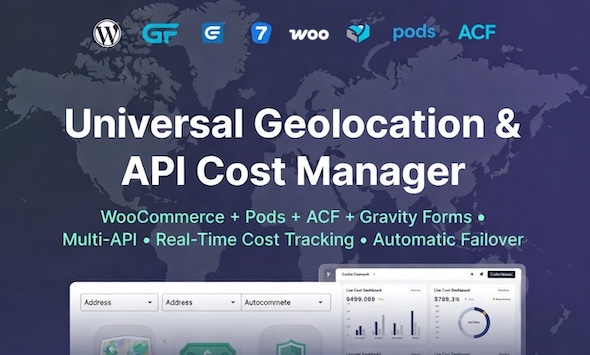
Address entry remains one of the most friction-heavy points in any online form, often leading to abandoned checkouts and inaccurate shipping data. Gravity Forms Address Autocomplete, developed by bhagwantbanger, solves this by integrating a smart multi-API system directly into your WordPress forms. While its name highlights Gravity Forms, this plugin—known as GeoFill Pro—extends its powerful address completion capabilities to over a dozen form builders, LMS platforms, and WooCommerce. Built for global accuracy with a specific focus on the DACH region and India, this tool transforms a tedious typing task into a seamless, two-click experience. With over 2,284 sales on CodeCanyon, it is a proven solution for developers and site owners who demand precision without sacrificing site performance.
Key Features
GeoFill Pro is not just another autocomplete script; it is a comprehensive address intelligence layer for WordPress. Here are the standout features that define its value proposition:
- Multi-API Smart Failover System: The plugin uses Google Places as its primary engine but automatically switches to Mapbox or regional APIs if Google fails or lacks coverage. This ensures your forms keep working accurately, regardless of API outages or regional limitations.
- Exceptional DACH Region Optimization: For businesses targeting Germany, Austria, or Switzerland, this plugin is a game-changer. It correctly identifies German 5-digit PLZ with Straße and Hausnummer, supports Austrian address components like Stiege and Top, and handles Swiss NPA, Kanton codes, and multilingual city names flawlessly.
- Native MapMyIndia Integration: Unlike most competitors, GeoFill Pro includes built-in support for MapMyIndia. This provides superior accuracy for Indian addresses, including locality, area, pin code, and state, with smart switching based on user location. It performs exceptionally well in Tier-2 and Tier-3 cities where other services often fail.
- Broad Platform Compatibility: This isn’t limited to just Gravity Forms. It works with WooCommerce, Contact Form 7, WPForms, Formidable Forms, Elementor, LearnDash, LifterLMS, MemberPress, Easy Digital Downloads, ACF, and Pods—covering over 13 platforms natively.
- Built-in Cost Tracking Dashboard: Since API calls are billable, GeoFill Pro includes a Chart.js-powered dashboard. You can monitor your API usage and costs directly from your WordPress admin, preventing unexpected charges on your Google Cloud or Mapbox accounts.
- Ultra-Lightweight Architecture: At just 22 KB, this plugin is significantly smaller than competitors (which often range from 80–200 KB). This ensures it does not bloat your site or slow down page load times.
Who Is This For? Use Cases
If you manage a website that collects physical addresses, this plugin has a use case for you. Its hybrid approach to global coverage makes it particularly valuable for specific industries and workflows.
Agencies and Freelancers Building Client Sites
If you build WordPress sites for clients, you need reliable tools that work across different stacks. GeoFill Pro is ideal for agencies because one license covers multiple form builders. Whether your client uses Elementor or Contact Form 7, you can implement the same high-level autocomplete functionality without purchasing separate plugins for each platform. The lightweight size also ensures your page speed scores remain high, which is critical for client retention.
E-commerce Stores Targeting DACH and India
Shipping errors are costly. For WooCommerce store owners, this plugin ensures that billing and shipping fields are filled with verified, accurate data. The specific optimization for the DACH region reduces failed deliveries caused by incorrect Austrian floor numbers or Swiss multilingual suburbs. For Indian e-commerce, the MapMyIndia integration means you can accurately capture addresses in Tier-2 and Tier-3 cities, expanding your delivery network reliability.
Membership Sites and LMS Platforms
If you run a membership site for physical product delivery or an LMS that requires student verification, GeoFill Pro integrates seamlessly with LearnDash, LifterLMS, and MemberPress. This helps you maintain accurate student or member data, which is essential for certification delivery or physical course materials.
Developers Using Advanced Custom Fields
For developers who rely on ACF or Pods to create custom front-end submission forms, this plugin offers a simple path to add address intelligence. By adding a specific CSS class, you can turn a standard address field group into a smart, autocomplete-powered input that standardizes data entry for your custom post types.
Technical Details & Compatibility
Before purchasing, it is crucial to understand the technical requirements and environment this plugin operates within. GeoFill Pro is built for WordPress and is compatible with the most common page builders and form solutions available today.
WordPress & Form Builders: The plugin is fully compatible with Gravity Forms, Contact Form 7, WPForms, and Formidable Forms. It also supports Elementor forms, making it a versatile choice for visual builders. For e-commerce, it hooks directly into WooCommerce billing and shipping fields.
LMS and Membership: Beyond standard forms, it supports LearnDash, LifterLMS, and MemberPress. It also integrates with Easy Digital Downloads, ensuring your digital storefront can collect accurate physical addresses if needed.
Field Frameworks: For developers, the plugin works with ACF and Pods, allowing you to add autocomplete to custom fields without extensive coding.
API Requirements: To use the plugin fully, you must have a Google Places API Key and a Mapbox Access Token. These are required for the failover system to work. A MapMyIndia key is optional but highly recommended if you serve an Indian audience. The plugin provides a settings page where you can input these keys.
Performance: At 22 KB, the plugin is exceptionally lean. It uses modern JavaScript and Chart.js for the dashboard, ensuring minimal impact on your site’s Core Web Vitals.
Pros and Cons
To help you make an informed decision, here is a balanced look at the strengths and potential drawbacks of this plugin based on the developer’s description.
Pros
- Unmatched Regional Accuracy: The specific focus on DACH and India sets it apart. No other plugin offers this level of detail for Austrian “Stiege” or Swiss “NPA” fields out of the box.
- Cost Control Features: The built-in cost tracking dashboard is a rare find. It allows you to monitor API usage in real-time, preventing bill shock at the end of the month.
- Excellent Value: At $39.00, this is a cost-effective solution. You are getting multi-API failover and 13+ platform support in one package, rather than paying for multiple plugins or a subscription service.
- Global Coverage: The failover system ensures that if Google Places is unavailable or inaccurate, Mapbox or regional APIs step in. This creates a robust, always-on service.
- Trusted Developer: With 2,284 sales, bhagwantbanger has demonstrated a track record of delivering functional, in-demand WordPress solutions on CodeCanyon.
Cons
- External API Keys Required: This is not a “plug-and-play” solution for beginners. You must have a Google Cloud account and a Mapbox account to generate API keys, which requires a credit card and some technical knowledge.
- Variable Rating Visibility: While the sales volume is high, the rating is not prominently displayed in the product data. Potential buyers may need to check the CodeCanyon page for user feedback.
- Scope Limitation: While it excels in Europe and India, users in other regions (like South America or Africa) will rely primarily on the generic Google Places/Mapbox data, which may not be as optimized as the DACH or Indian experience.
Frequently Asked Questions
Here are answers to the most common questions potential buyers search for before installing this plugin.
Does Gravity Forms Address Autocomplete work with WooCommerce checkout?
Yes, it does. The plugin provides full support for WooCommerce billing and shipping fields. Once installed, you can apply the autocomplete functionality to the checkout page, ensuring customers fill in their delivery details accurately. This integration is a key feature, as it directly reduces shipping errors and improves the overall checkout experience for your customers.
Do I need a Google API key to use this plugin?
Yes, a Google Places API key is required for the primary autocomplete functionality. Additionally, a Mapbox access token is recommended to enable the smart failover feature. If you plan to serve customers in India, a MapMyIndia key is optional but strongly recommended for the best accuracy. You can enter all these keys in the GeoFill Pro settings page after installation.
Can I use this plugin with Elementor or Contact Form 7?
Absolutely. GeoFill Pro is not limited to Gravity Forms. It is compatible with over 13 form builders and LMS platforms, including Elementor Forms, Contact Form 7, WPForms, and Formidable Forms. This makes it a versatile choice regardless of your preferred form-building tool. The setup process remains the same: add the CSS class geofill-address to your address field, and the plugin handles the rest.
Final Verdict
GeoFill Pro by bhagwantbanger is a specialized tool that punches well above its weight class. While the primary keyword is Gravity Forms Address Autocomplete, this plugin is truly a multi-platform utility. It addresses a critical pain point—accurate address capture—with a sophisticated multi-API failover system that competitors often lack. The specific optimization for Germany, Austria, Switzerland, and India is not just a marketing bullet; it is a functional reality that solves real-world logistics problems. The inclusion of a cost-tracking dashboard demonstrates a developer who understands the operational challenges of running a website, not just the coding challenges. With a track record of over 2,284 sales and a price point of just $39, the return on investment is immediate, especially when you consider the time saved on support tickets for incorrect shipping details.
If you are running a WooCommerce store, a membership site, or a custom form solution and you serve customers in Europe or India, this plugin is a must-have. It is lightweight, robust, and offers peace of mind that your address data will be accurate. Stop losing money to failed deliveries and abandoned checkouts caused by tedious form filling. Purchase GeoFill Pro today and upgrade your forms with the smartest address autocomplete solution available on CodeCanyon.