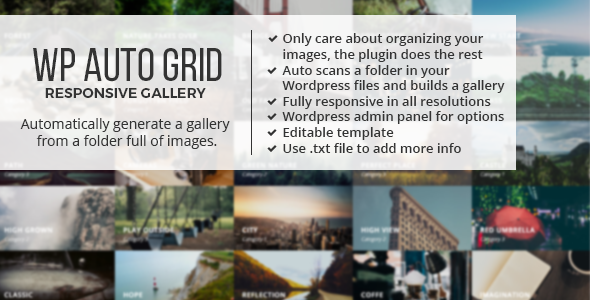
Managing a large image library inside WordPress usually means wrestling with the Media Library, regenerating thumbnails, and rebuilding gallery layouts every time you add new photos. Auto Grid Responsive Gallery – WordPress takes a different approach: it scans a folder on your server, treats its subfolders as gallery categories, and automatically renders a responsive, filterable grid from whatever images it finds. Built by castleplugins and available on CodeCanyon for $21, this plugin is aimed at photographers, agencies, and site owners who want a fast, folder-driven gallery workflow without touching a line of code.
Key Features
- Automatic folder scanning: The plugin reads a folder in your WordPress installation and all of its subfolders, pulling in every image it finds. Subfolders automatically become the category tabs displayed above the grid, so your folder structure defines your gallery navigation.
- Drag-and-drop FTP workflow: Images are uploaded via FTP rather than the WordPress Media Library. Using FTP droplet tools such as Transmit for Mac or FTP Droplet Lite for Windows, you can drag images from your desktop straight into the server folder and the gallery updates from there.
- Shortcode-based embedding: Place a gallery anywhere on your site with a single shortcode. Since the March 2018 update, you can also pass a directory parameter to the shortcode, letting you reuse identical settings across multiple galleries on different pages.
- Friendly admin panel: All configuration happens in a WordPress admin interface — no coding required. You can also import and export gallery settings, which makes it easy to back up configurations or replicate a setup on another site.
- Flexible grid layouts: Set a fixed column width, define a specific number of columns, or use an ‘auto’ width so the grid stretches to 100% of its container. You can configure different layouts for different screen resolutions.
- Thumbnail support: Optionally supply thumbnails for individual images to improve grid performance, so you only optimize the photos that need it.
- Search and filtering: A built-in search system lets visitors filter the grid, alongside the category tabs generated from your subfolders.
- Lightbox with slideshow: Images open in a responsive lightbox with play, pause, and auto-play slideshow controls, plus deep linking support.
- CSS3 effects and direction-aware hover: The grid includes CSS3 transitions and a direction-aware hover effect for a polished, modern browsing experience.
- Rich media via .txt files: A .txt file support system lets you attach YouTube or Vimeo videos, iframes, extra text, ratio information, and more to your grid items.
- Ordering options: Sort images by name, by date, or randomly, and order categories the same way using prefixes like a-, b-, c-.
- Link thumbnails to pages: Instead of opening the lightbox, a thumbnail can link to another page — useful for connecting gallery images to posts or product pages.
- Bootstrap compatible: Works alongside Twitter Bootstrap, though Bootstrap is not required.
- Performance controls: Images load in sets, and features can be activated or deactivated through JavaScript options, giving you control over what runs on the page.
Who Is This For? Use Cases
Auto Grid Responsive Gallery – WordPress is built around a folder-first workflow, which suits certain users far better than a traditional Media Library gallery plugin. Here is where it fits best.
Photographers and Visual Portfolios
Photographers who already organize shoots into folders on their desktop can mirror that structure on the server. Each subfolder becomes a category tab, so a wedding photographer can separate ceremonies, receptions, and portraits into distinct, filterable sections without manually assigning categories in WordPress.
Agencies and Freelancers
Client work often involves large batches of images delivered via FTP or file transfer. The import/export settings feature means an agency can build a proven gallery configuration once and deploy it across multiple client sites. The shortcode’s directory parameter also makes it simple to spin up several galleries on one site using the same layout rules.
Bloggers and Content Publishers
The .txt file support for embedding YouTube and Vimeo videos, iframes, and extra text turns the grid into more than an image wall. Bloggers can build media-rich index pages where each tile carries supplementary content, and thumbnails can link directly to posts instead of opening a lightbox.
Developers and Site Builders
Developers who prefer file-system control over database-driven media management will appreciate the lightweight approach. Multiple gallery instances can be added quickly with a single line of HTML or shortcode, and JavaScript options let you toggle features on or off per implementation.
E-commerce and Business Sites
Any business that maintains a large product or project image library can use the grid as a visual catalog. The search system and category tabs help visitors navigate sizable collections, and the responsive, full-width layout adapts cleanly to mobile shoppers.
Technical Details & Compatibility
Auto Grid Responsive Gallery – WordPress is a self-contained plugin that scans server folders directly, so it does not depend on the WordPress Media Library for image storage. Galleries are embedded through shortcodes, and the plugin’s settings live in a dedicated admin panel.
- WordPress integration: Installs as a standard WordPress plugin with its own admin panel. No coding knowledge is required to configure or embed galleries.
- Shortcode support: Galleries are added to posts and pages via shortcode, with an optional directory parameter for running multiple galleries from one settings profile.
- Bootstrap compatibility: The plugin is compatible with Twitter Bootstrap but does not require it, so it works on themes with or without a Bootstrap framework.
- Responsive design: Both the grid and the lightbox are fully responsive, with per-resolution layout configuration so you can tailor column behavior to different screen sizes.
- Media flexibility: Accepts images of any dimensions, plus videos and iframes through .txt file metadata.
- Update history: The plugin has received regular maintenance over the years, including a major version 3 rebuild in 2017, a directory-parameter feature in 2018, component updates in 2019, and a media boxes update in February 2020.
Pros and Cons
Pros
- Genuinely automatic workflow: Drop images into a folder and the gallery builds itself — no manual image assignment or category creation.
- Excellent value at $21: A one-time, low-cost purchase for a feature set that covers grids, lightbox, search, filtering, and video support.
- No coding required: The admin panel and shortcode system keep setup accessible to non-developers.
- Settings import/export: A practical feature for agencies managing multiple sites or backing up configurations.
- Performance-minded options: Thumbnail support, image sets, and toggleable JavaScript features give you ways to keep large galleries manageable.
- Free technical support: Included with the purchase, backed by an author with a track record on the marketplace.
Cons
- FTP dependency: Images are uploaded via FTP rather than the WordPress Media Library, which adds a step for users unfamiliar with file transfer tools.
- Folder discipline required: Because subfolders define categories, a messy server structure produces a messy gallery — organization is on you.
- No rating data available: The listing does not display a rating, so buyers should review the documentation and preview before purchasing.
- Version 3 broke backward compatibility: Sites upgrading from very old versions needed to reconfigure, as the 2017 rebuild was not compatible with the previous release.
Frequently Asked Questions
Do I need to upload images through the WordPress Media Library?
No. Auto Grid Responsive Gallery – WordPress is designed around FTP uploads. You place images directly into a folder on your server and its subfolders, and the plugin scans them automatically. FTP droplet tools like Transmit or FTP Droplet Lite let you drag files from your desktop and have them sync to the server folder, which streamlines the process considerably.
Can I run more than one gallery on the same WordPress site?
Yes. You can create multiple gallery instances quickly by adding additional shortcodes. Since the 2018 update, the shortcode also accepts a directory parameter, so you can reuse the exact same settings across different galleries — for example, pointing one shortcode at galleries/gallery1 and another at galleries/gallery2 while keeping a consistent layout.
Does the plugin support videos, and can I link thumbnails to other pages?
Both are supported. A .txt file system lets you attach YouTube or Vimeo videos, iframes, extra text, and ratio information to grid items. Separately, you can configure a thumbnail to link to another page instead of opening the lightbox — historically done by appending the target URL to the image name after a “$$” marker — which is useful for connecting gallery tiles to posts or landing pages.
Final Verdict
Auto Grid Responsive Gallery – WordPress solves a specific problem very well: turning an organized server folder of images into a responsive, searchable, filterable gallery with almost no manual effort. With 1,448 sales on CodeCanyon, it has clearly found an audience among photographers, agencies, and developers who prefer a file-system workflow over the Media Library. The developer, castleplugins, has maintained the plugin steadily since its early releases — including a full version 3 rebuild, shortcode directory parameters, and updates through early 2020 — which signals a commitment to keeping the product functional.
At $21, the value proposition is straightforward. You get automatic folder scanning, category tabs from subfolders, a configurable responsive grid, a slideshow lightbox with deep linking, search, video and iframe support via .txt files, import/export settings, and free technical support — all for a one-time fee with no coding required. The main trade-off is the FTP-based workflow, which rewards users who already think in folders and may feel unfamiliar to those accustomed to drag-and-drop media management.
If your image library lives in folders and you want it displayed as a polished grid without rebuilding it in WordPress every time, this plugin is a practical, affordable investment. Head to the CodeCanyon listing, review the documentation, and add Auto Grid Responsive Gallery – WordPress to your site today.