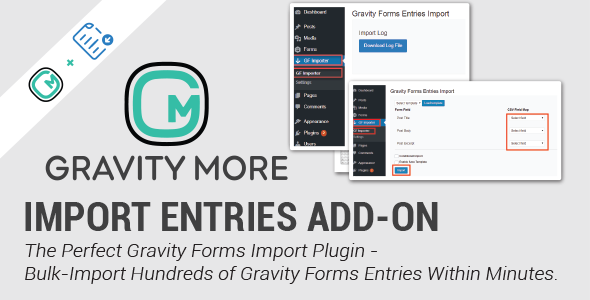
Managing large volumes of form data inside WordPress is one of the most persistent headaches for site owners who rely on Gravity Forms. Whether you are migrating from another platform, restoring a backup, or consolidating years of submissions, there is no native way to push that data back into Gravity Forms. Import Entries for Gravity Forms solves that problem directly. Developed by wpexpertsio, this CodeCanyon add-on lets administrators import hundreds of entries from a CSV file in minutes, map fields to form fields, update existing entries, and even build a brand-new form from the data itself. With over 1,500 sales, it has become one of the most trusted utilities for anyone who needs to move Gravity Forms entries in bulk without touching the database.
Key Features
- Bulk CSV entry import — Upload a single CSV file and import hundreds of Gravity Forms entries in one operation, eliminating the need for manual data entry or custom SQL work.
- Import from any spreadsheet platform — Files exported from Microsoft Excel, Google Sheets, Apple Numbers, or LibreOffice are supported, so you can work in the tool you already use and simply export to CSV before importing.
- Create a new form from CSV data — If the form does not exist yet, the add-on can generate one directly from the uploaded file, which is ideal for migrations and rebuilds.
- Flexible field mapping — Map each CSV column to the corresponding Gravity Forms field through a dropdown interface, and add new form fields during the mapping step if something is missing.
- Update existing entries — Match rows against the Entry ID or a chosen column key to overwrite and refresh records instead of creating duplicates.
- Conditional import logic — Apply greater than or less than conditions so only entries that meet specific criteria are imported.
- Continue on error or stop on error — Choose to keep importing even when individual rows fail validation, or halt the process the moment an error is detected.
- Live progress bar — Track the import as it runs and see a clear count of successful versus unsuccessful entries once it finishes.
- Error extraction to CSV — Failed records are filtered out into a separate CSV file so they can be corrected and re-imported without redoing the whole job.
- Gravity Forms validation support — Existing form validation rules, including required field checks, can be enforced during import.
- Email notifications — Send an email notification for each record that is imported, keeping stakeholders informed automatically.
- Field-level control — Allow or restrict specific fields from being imported, and skip individual fields during mapping when they are not needed.
- Reusable templates — Save field mapping and conditional logic configurations as templates so repeat imports take seconds rather than minutes.
- Post type import — Selected post types can be added to the post type list during the import process.
- Elite add-on compatibility — Works with the Signature, Coupon, Survey, Poll, and Quiz Gravity Forms add-ons.
Who Is This For? Use Cases
Agencies and Development Studios
Agencies frequently inherit client sites with years of form submissions trapped in spreadsheets or legacy systems. Import Entries for Gravity Forms turns what would be a multi-day database migration into an afternoon task. The template-saving feature is particularly valuable here, since agencies often repeat the same import structure across multiple client projects.
Site Owners Migrating Between Platforms
Anyone moving to Gravity Forms from another form plugin, CRM, or a custom-built solution can export their historical data to CSV and push it straight into the new forms. The ability to create a new form from the CSV itself removes the guesswork of matching field structures manually.
Businesses Restoring or Consolidating Data
If entries were accidentally deleted, lost during a botched migration, or split across multiple forms, this add-on provides a clean recovery path. The update-entries functionality means you can refresh stale records without generating duplicates, which is essential for maintaining accurate reporting.
Data-Driven Marketing and Operations Teams
Teams that analyze submissions in external tools can now round-trip their data. Export entries from Gravity Forms, enrich or correct them in a spreadsheet, then import them back using the column key matching to keep the database in sync.
Developers Building Custom Workflows
With custom capabilities, multisite support, and filters for mapping custom meta fields, developers can extend the import process to fit bespoke requirements rather than working around limitations.
Technical Details & Compatibility
Import Entries for Gravity Forms is a WordPress plugin that functions as an extension to Gravity Forms, and it requires an active Gravity Forms installation to operate. The add-on has been tested with WordPress 5.9 and above and is fully compatible with Gravity Forms 2.5.
On the compatibility front, it integrates with several Gravity Forms Elite add-ons, including Signature, Coupon, Survey, Poll, and Quiz. Multisite support was added in version 1.2.3, making it viable for network-level WordPress installations. The plugin also includes Freemius integration, custom capabilities for role-based access control, and three filters that allow developers to map and import custom meta fields.
Only CSV files can be uploaded, which keeps the import process predictable and lightweight. The interface is built around a step-by-step workflow — upload, map, configure, and import — which reduces the risk of configuration errors on large datasets. A progress bar provides real-time feedback during processing, and the system reports both successful and failed rows at the end.
The changelog shows a consistent maintenance record, with the most recent update (version 1.4.0, November 2023) delivering a UI overhaul, a restructured multi-step import flow, the new form creation option, the stop-on-error toggle, and greater-than/less-than conditional importing. Earlier releases added multisite support, quiz and poll compatibility, email notifications, and entry date import fixes.
Pros and Cons
Pros
- Eliminates manual data entry for large entry volumes, saving hours of administrative work.
- Supports both new entry creation and updates to existing entries via Entry ID or column key matching.
- Works with CSV exports from Excel, Google Sheets, Apple Numbers, and LibreOffice.
- Reusable mapping templates make recurring imports fast and consistent.
- Error rows are extracted to a separate CSV, simplifying correction and re-import.
- Compatible with five major Gravity Forms Elite add-ons.
- Multisite support and custom capabilities suit larger, multi-site WordPress environments.
- At $39.00 as a one-time purchase, it offers strong value compared to custom development costs.
Cons
- Only CSV files are accepted, so users working exclusively in JSON, XML, or Excel-native formats must convert first.
- It is an add-on, not a standalone plugin, so Gravity Forms must already be installed and licensed.
- Field mapping requires care — if a required Gravity Forms field is not mapped, that data will not appear in the entries.
- Very large CSV files may need to be split into batches depending on server resources.
Frequently Asked Questions
Do I need Gravity Forms installed to use this add-on?
Yes. Import Entries for Gravity Forms is an extension built specifically for Gravity Forms, so an active Gravity Forms installation is required. It does not function as a standalone form builder and will not import entries into any other plugin or system.
Can I update existing entries instead of creating duplicates?
Yes. The add-on includes an Update Entries option. When enabled, a column key dropdown appears, letting you select which field should be used to match existing records. If no column key is selected, the system falls back to matching against the Entry ID, and only matching rows will be updated.
What happens if some rows fail during the import?
The plugin tracks successful and unsuccessful entries separately and displays the totals once the import completes. Failed records are filtered and extracted into a new CSV file, which you can correct in your spreadsheet tool and re-import. You can also choose to continue importing despite errors or stop the process immediately when a validation error is detected.
Final Verdict
Import Entries for Gravity Forms fills a genuine gap in the Gravity Forms ecosystem. There is no built-in way to bulk-import submissions, and building that capability from scratch would cost far more than the $39.00 price tag. With 1,566 sales on CodeCanyon and a development team at wpexpertsio that has shipped regular updates since the initial 2019 release, the plugin carries both marketplace validation and a credible maintenance history.
The feature set covers the scenarios that matter most in practice: creating forms from CSV data, mapping fields precisely, updating existing entries by key, applying conditional logic, handling errors gracefully, and saving reusable templates. Compatibility with the Signature, Coupon, Survey, Poll, and Quiz add-ons, plus multisite support and custom meta field filters, means it scales from a single blog to a multi-site agency portfolio.
If you manage Gravity Forms data at any meaningful volume, this add-on removes a recurring operational bottleneck. For the cost of a single hour of developer time, you get a maintained, field-tested tool that turns hours of manual entry into a few clicks. Purchase Import Entries for Gravity Forms today and make your next data migration or restoration project dramatically simpler.