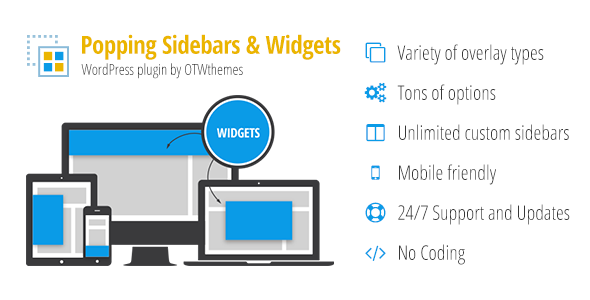
Popping Sidebars and Widgets for WordPress is a flexible plugin from OTWthemes that lets you build unlimited custom sidebars and display them inside animated overlays, including full bars, side boxes, and popup lightboxes. Instead of being limited to a single fixed widget area, you can create as many widget-ready sidebars as you need and surface them anywhere on your site through a visual, drag-and-drop interface. It is built for site owners, agencies, and developers who want to deliver targeted content, promotions, or navigation without writing code or wrestling with theme files.
With more than 1,490 sales on CodeCanyon and a price of just $27, the plugin has become a practical choice for anyone who wants popup-style widget areas that respond to real visitor behavior. The core idea is simple but powerful: you decide what appears, where it appears, when it appears, and who sees it — all from a clean WordPress-native admin panel.
Key Features
- Three overlay types — Choose between Full Bar, Side Box, or Popup/Lightbox, each with its own positioning and animation behavior, so you can match the overlay to the moment and the message.
- Flexible positioning — Place overlays at the header, footer, left, right, or as a centered popup, with options to push site content or float over it.
- Unlimited custom sidebars — Create as many widget areas as you want. Each new sidebar appears in Appearance → Widgets just like a native WordPress sidebar.
- Vertical or horizontal widget alignment — Stack widgets in a column or line them up in a fluid row where the available width is divided evenly between widgets.
- Custom responsive layouts — The included OTW Grid Manager lets you build layouts with drag-and-drop, clone, resize, and save templates — no coding required.
- Precise visibility rules — Show overlays on specific pages, posts, categories, tags, custom post types, taxonomies, page templates, archives, or user roles.
- Plugin-aware targeting — Built-in support for WPML languages, WooCommerce, bbPress, and BuddyPress means you can target multilingual audiences and community or shop contexts.
- Multiple activation periods — Schedule overlays by start and end date, day of the week, and time of day, and run as many periods as you need.
- Advanced open events — Trigger overlays on page load, after a delay, after a number of page views, after time on site, on exit intent, on WooCommerce cart abandonment, on scroll depth, or on a click or link trigger.
- Configurable close events — Close until next page load, hide for a set number of page loads or days, require a button click, or remove the close button entirely.
- Deep styling controls — Adjust shadows, borders, rounded corners, background colors or patterns, paddings, and animations through a back-end interface, with custom CSS and unique classes available for finer control.
- Translation ready — Follows WordPress I18n standards and ships with .po/.mo files for easy localization.
Who Is This For? Use Cases
Popping Sidebars and Widgets for WordPress suits a wide range of WordPress users because it solves a problem nearly every site faces: the theme simply does not provide enough widget areas, or the ones it provides cannot be targeted or triggered intelligently. Here is how different users tend to put it to work.
Agencies and Freelancers
Client sites rarely share the same layout requirements. Agencies can create bespoke overlay campaigns for each project — a seasonal promotion bar, a lead-capture popup, or a targeted announcement — without touching theme code. Because sidebars and overlays are managed from the dashboard, handover to clients is straightforward, and the drag-and-drop grid manager keeps layout changes fast.
Bloggers and Content Publishers
Publishers can surface related content, newsletter signups, or author boxes in a side box that slides in when a reader reaches a certain scroll depth. The ability to trigger overlays after a number of page views or seconds on site helps avoid interrupting first-time visitors while still engaging returning readers.
E-commerce Businesses
WooCommerce store owners get a particularly useful feature: the WooCommerce abandoners open event, which triggers an overlay on exit intent when the cart contains items. Combined with visibility rules for specific products or categories, this turns the plugin into a lightweight conversion tool for cart recovery and promotional messaging.
SaaS Startups and Membership Sites
Startups and membership communities can use user-role visibility to show onboarding tips, upgrade prompts, or announcements to specific audiences. BuddyPress and bbPress support makes the plugin relevant for community-driven sites that need contextual notices inside forums and member areas.
Developers and Theme Authors
Theme authors can bundle the plugin to add premium-feeling functionality to their products. OTWthemes explicitly supports this: one extended license per theme is required, along with permission from the author, which you can request directly. That makes it an efficient way to differentiate a commercial theme.
Technical Details & Compatibility
The plugin is built to feel native to WordPress. Its administration interface follows core WordPress design conventions, so the learning curve stays low even for users who are not developers. Operations are Ajax-based, which means saving settings and managing overlays happens without full page refreshes.
On the compatibility front, the plugin integrates with several major ecosystems:
- WPML for multilingual visibility targeting
- WooCommerce for shop-aware triggers and abandonment events
- bbPress and BuddyPress for forum and community contexts
- WordPress page templates and the template hierarchy for granular display rules
Performance has been considered for larger installations, with the changelog referencing optimizations for large WP setups and PHP 8 updates in recent releases. The plugin is fully responsive, with separate options to show or hide overlays on large and small screens, and it handles content scrolling gracefully on smaller devices. The codebase is translation-ready and ships with language files.
Update history is a strong signal here. The changelog shows a steady cadence of maintenance releases, from the initial 2014 launch through version 2.21 in April 2022, covering WordPress compatibility updates, library refreshes, security-related sanitization improvements, and bug fixes. That track record suggests the developer actively maintains the product rather than abandoning it after launch.
Pros and Cons
Pros
- Exceptional value at $27 — the feature set rivals plugins that cost considerably more.
- Genuinely unlimited sidebars and overlays, removing the widget-area limitations of most themes.
- Sophisticated targeting across pages, taxonomies, user roles, languages, and plugin contexts.
- Behavior-based triggers like exit intent, scroll depth, and WooCommerce cart abandonment support real conversion strategies.
- No coding required for layouts thanks to the drag-and-drop OTW Grid Manager.
- Deep styling control through a back-end interface plus custom CSS for advanced users.
- Proven marketplace presence with 1,490 sales and a long, documented update history from OTWthemes.
Cons
- Feature density can feel overwhelming at first — the number of visibility and trigger options may require some experimentation to master.
- Overlay-heavy setups need discipline; poorly planned triggers can interrupt the reading experience if not tested carefully.
- Theme authors need an extended license and author permission before bundling, which adds a step for commercial distribution.
- Some advanced customization still relies on custom CSS rather than purely visual controls.
Frequently Asked Questions
Does Popping Sidebars and Widgets for WordPress work with WooCommerce and WPML?
Yes. The plugin includes built-in visibility support for WPML languages and WooCommerce contexts, and it can trigger overlays specifically for WooCommerce cart abandoners on exit intent. It also supports bbPress and BuddyPress for community-focused sites.
Can I create custom sidebars and use them like normal WordPress widget areas?
Absolutely. You can create an unlimited number of custom sidebars, and once created they appear in Appearance → Widgets alongside your theme’s native sidebars. You then place those sidebars inside your overlays and choose whether widgets align vertically in a column or horizontally in a fluid row.
Do I need to know how to code to build overlay layouts?
No coding is required for the core workflow. The OTW Grid Manager provides a drag-and-drop interface for building responsive layouts, with options to clone, resize, edit, delete, and save templates. Custom CSS is available if you want to go further, but it is optional.
Final Verdict
Popping Sidebars and Widgets for WordPress earns its place as a practical, well-rounded overlay and sidebar toolkit. OTWthemes has packed an impressive amount of functionality — three overlay types, unlimited sidebars, granular visibility rules, behavioral triggers, and a visual layout builder — into a plugin that costs only $27. The 1,490 sales and the multi-year changelog reinforce that this is a maintained, trusted product rather than a one-off release.
For anyone who has ever wished their theme offered more widget areas, or wanted to show the right message to the right visitor at the right moment, this plugin delivers without requiring developer involvement. The learning curve is the only real trade-off, and it is a small price for the flexibility on offer.
If you are ready to add smarter, targeted overlays and unlimited custom sidebars to your WordPress site, purchase Popping Sidebars and Widgets for WordPress today and start building your first overlay in minutes.