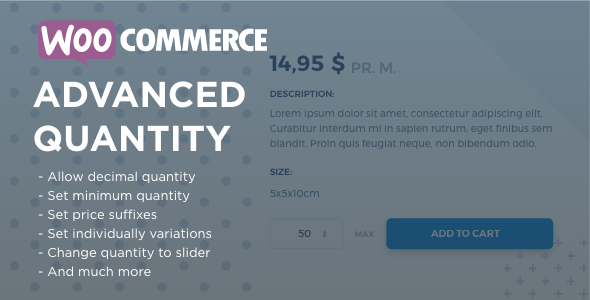
WooCommerce Advanced Quantity is a dedicated plugin from MorningTrain that gives store owners precise control over every quantity field on their WooCommerce-powered site. Instead of accepting WooCommerce’s default behavior, where customers can type almost any number they like, this plugin lets you define minimums, maximums, step intervals, default values, decimal quantities, and even custom price and quantity suffixes. For shops selling products by weight, length, or in fixed package sizes, that level of control is not a luxury — it is a practical necessity that prevents invalid orders, protects margins, and simplifies the buying experience for customers.
Key Features
- Minimum quantity enforcement — Set a required minimum number of items a customer must purchase before checkout. This is particularly useful for wholesale or bulk-oriented stores where selling a single unit is not economically viable.
- Maximum quantity limits — Cap how many units of a product a customer can buy in a single order. Ideal for limited editions, promotional offers, or products with constrained stock.
- Configurable step intervals — Define the increments in which quantities can be increased, so customers can only buy in multiples such as 5, 10, or 15. This suits products sold in pre-packed bundles.
- Decimal quantity support — Allow fractional quantities like 0.1, 0.5, or 1.5, which is essential for shops selling food, textiles, or any product measured by weight, length, or height.
- Default (standard) quantity values — Pre-fill the quantity field with a specific number so the field shows a sensible starting point while still letting customers adjust up or down.
- Price and quantity suffixes — Append descriptive text such as “pr. kg.” behind the price or a unit label behind the quantity, giving customers clearer context about what they are buying.
- Multiple input types — Choose between a standard input field, a dropdown, a plus/minus stepper, or a slider, depending on what suits each product or category best.
- Per-product, per-category, and site-wide settings — Apply quantity rules globally, by category, or on individual products and variations, giving you granular control without repetitive configuration.
- Variation-level control — Since version 3.0.0, settings can be applied to individual product variations, which matters for stores selling configurable products.
- Price factor display — A feature introduced in the 3.0.0 rewrite that helps display pricing in relation to quantity factors.
Who Is This For? Use Cases
WooCommerce Advanced Quantity is built for any WooCommerce store where the default quantity field is too permissive or too limited. The plugin adapts to a wide range of business models, and the following scenarios illustrate where it delivers the most value.
Wholesale and Bulk Sellers
Wholesale operations rarely profit from single-unit orders. By setting a minimum quantity, store owners ensure every order meets a viable threshold. Step intervals reinforce this by forcing orders into consistent multiples, which simplifies picking, packing, and invoicing.
Food, Textile, and Piece-Goods Retailers
Products sold by weight or length cannot be ordered in whole numbers. Decimal quantity support lets customers buy 0.5 kg of coffee, 1.5 meters of fabric, or 0.25 of a unit, while the price suffix clarifies the unit of measure directly beside the price.
Stores Selling Packaged Products
When products come in packs of five or ten, step intervals prevent customers from ordering quantities that cannot actually be fulfilled. The plugin aligns the storefront with real-world packaging constraints.
Limited Offers and Promotional Campaigns
Maximum quantity limits keep promotional stock from being wiped out by a single buyer. A store running a limited offer can cap purchases at, for example, 30 units per order, spreading availability across more customers.
Agencies and Freelance Developers
Agencies building WooCommerce sites for clients frequently need quantity logic that core WooCommerce does not provide. This plugin offers a configurable, update-supported solution that saves development time and reduces custom code maintenance.
Store Owners Seeking Better UX
Dropdowns, sliders, and plus/minus steppers make quantity selection more intuitive on both desktop and mobile. The option to force a dropdown on mobile devices specifically prevents customers from entering invalid quantities on touchscreens.
Technical Details & Compatibility
WooCommerce Advanced Quantity is a WordPress plugin designed exclusively for WooCommerce stores. The changelog shows a long and active development history, with compatibility work spanning WooCommerce 3.0.0 and beyond, including fixes for PHP 8.1 warnings in version 3.0.5. The 3.0.0 release was a complete rewrite that resolved WooCommerce compatibility issues and rounding errors, which signals that the developer actively maintains the codebase against modern WordPress and WooCommerce releases.
The plugin integrates with key WooCommerce functionality, including variable products, grouped products, stock management, the cart and checkout flow, order emails, order confirmation pages, and PayPal Standard. It also addresses compatibility with WP All Import for stores that bulk-import products, and it includes a WooCommerce dependency check that displays an error if WooCommerce is not installed. Settings are organized into a dedicated “Advanced Quantity” tab within WooCommerce settings, and the plugin cleans up its settings from the database on uninstall.
On the front end, the plugin supports multiple quantity input types — standard input, dropdown, plus/minus, and slider — and these can be applied per product, per category, or site-wide. Mobile responsiveness is handled through options such as forcing a dropdown input on mobile devices. The plugin also includes translation support with a .pot file, plus Danish, German, and Polish translations contributed over time. Performance considerations are addressed through caching of input attributes, and the developer has removed unnecessary admin-side price displays for performance reasons. Automatic update checking has been part of the plugin since version 1.4.0.
Pros and Cons
Pros
- Extremely granular control over quantity behavior at the site, category, product, and variation levels.
- Decimal quantity support opens the plugin to weight- and length-based product categories that standard WooCommerce handles poorly.
- Four input types (input, dropdown, plus/minus, slider) let you match the interface to the product and audience.
- Long, well-documented changelog with over 60 releases, demonstrating consistent maintenance and bug fixing.
- Strong social proof with 1,579 sales on CodeCanyon, indicating widespread adoption and trust.
- At $49.00, it is a one-time purchase that replaces the need for custom development, offering strong value for money.
- Includes mobile-specific handling to prevent invalid quantity entry on touch devices.
- Translation-ready with existing Danish, German, and Polish language files.
Cons
- Requires WooCommerce to function — it is not a standalone tool and will show an error if WooCommerce is missing.
- Some settings, such as grouped product quantity behavior, have specific limitations (grouped products do not display Advanced Quantity settings).
- The breadth of options means there is a learning curve for store owners unfamiliar with WooCommerce settings architecture.
- As with any quantity-altering plugin, conflicts with other cart or checkout customization plugins are possible, though the changelog shows the developer actively resolves these.
Frequently Asked Questions
Does WooCommerce Advanced Quantity work with variable products?
Yes. Variable products are supported, and since version 3.0.0 the plugin allows settings to be applied to individual product variations. This means you can define different minimums, maximums, or step intervals for each variation rather than applying one rule to the entire variable product.
Can I allow customers to buy products in decimal quantities like 0.5 or 1.5?
Yes. Decimal quantity is one of the plugin’s core features. You can allow any fractional value, such as 0.1 increments for products sold by weight, or restrict purchases to half units like 0.5, 1, and 1.5. This is specifically designed for food, textile, and piece-goods stores.
How do I install and configure the plugin?
Installation follows the standard WordPress plugin process: upload and activate the plugin, then navigate to the WooCommerce settings area where a dedicated “Advanced Quantity” tab appears. From there you can configure global settings, and then override them per category, per product, or per variation as needed. The plugin also includes automatic update checking so future releases can be applied from within WordPress.
Final Verdict
WooCommerce Advanced Quantity solves a specific but surprisingly common problem: WooCommerce’s default quantity field is simply too flexible for many real-world stores. Whether you sell fabric by the meter, coffee by the kilogram, products in fixed packs, or wholesale orders with minimum thresholds, this plugin gives you the controls that core WooCommerce lacks. MorningTrain has maintained the plugin through more than 60 releases, including a full rewrite in version 3.0.0 and ongoing PHP 8.1 compatibility fixes, which speaks to a level of long-term commitment that buyers should value. With 1,579 sales on CodeCanyon, it has clearly earned the trust of a substantial number of store owners and developers.
At $49.00 as a one-time purchase, the plugin pays for itself quickly when you consider the alternative: hiring a developer to build and maintain custom quantity logic. The combination of decimal support, step intervals, multiple input types, and granular per-product configuration makes it one of the more complete quantity-control solutions available for WooCommerce. If your store needs tighter control over how customers order, WooCommerce Advanced Quantity is a practical, well-supported investment. Head to CodeCanyon today to purchase it and start configuring your quantity fields exactly the way your business requires.